01
Blender tracking is capable, but it can be slow
Blender has serious motion tracking tools. You can track 2D features, solve camera motion, solve object motion, orient the scene, stabilize footage, and inspect tracks directly in the Movie Clip Editor. The challenge is the amount of manual work required on real footage.
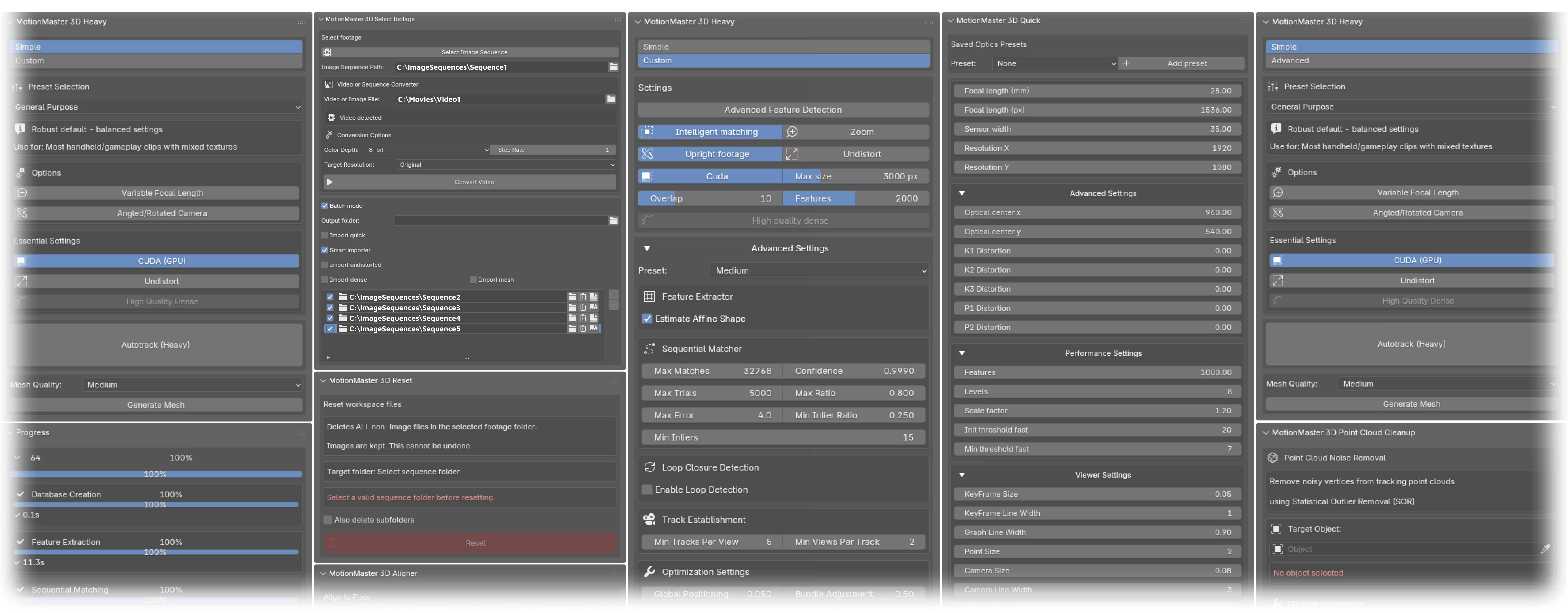
MotionMaster 3D is built around that frustration. Instead of making you assemble the full pipeline by hand every time, it gives you guided tracking modes, footage prep, mask tools, dense reconstruction, mesh generation, imports, cleanup, alignment, and batch processing.
- Quick tracking for fast previews and Heavy tracking for higher-quality reconstruction work.
- Planar Tracker with a dedicated Track Workspace (layers, holdouts, AdjustTrack corrections, measured Track Error, Add To Existing Camera) and a rotation-only Tripod Tracker with automatic focal-length estimation (1.0.7, Max).
- COLMAP, GLOMAP, and OpenMVS-based Heavy workflows with CUDA-oriented performance on supported Windows systems, 12 selectable camera models, lens calibration export, and 32-bit undistort/redistort STMaps.
- AI SAM2 masks, polygon masks, composed mask layers, and mask-guided tracking for moving foreground objects.
- Dense point clouds, mesh generation, undistortion, smart imports, point cloud cleanup, floor alignment, a two-view 3D Point Generator, point-cloud surfaces, camera footage projection, and multi-frame texture baking.
- Video conversion, image-sequence downscaling, batch processing, watch-folder style workflows, job cancellation, progress reporting, account downloads, and support tools.