All comparisons

Blender addon comparison

MotionMaster 3D vs Camera Tracker 6

Camera Tracker 6 is a strong automatic camera tracker for Blender, now with a Pin Tool, Point Tool, ground alignment, a rebuilt tripod solver, and camera smoothing. MotionMaster 3D goes wider: fast previews, heavier reconstruction, a Mocha-style planar tracker, tripod tracking, lens calibration with STMap export, AI and polygon masks, dense point clouds, mesh and surface generation, footage projection, texture baking, cleanup, alignment, and batch processing in one Blender-focused workflow.

Verdict

Choose MotionMaster 3D when you want more than a solved camera. It is built for the full shot pipeline: prepare footage, track (camera, planar, or tripod), mask, calibrate the lens, reconstruct, generate reference geometry, project and bake footage, clean the result, align the scene, and process multiple shots without leaving Blender.

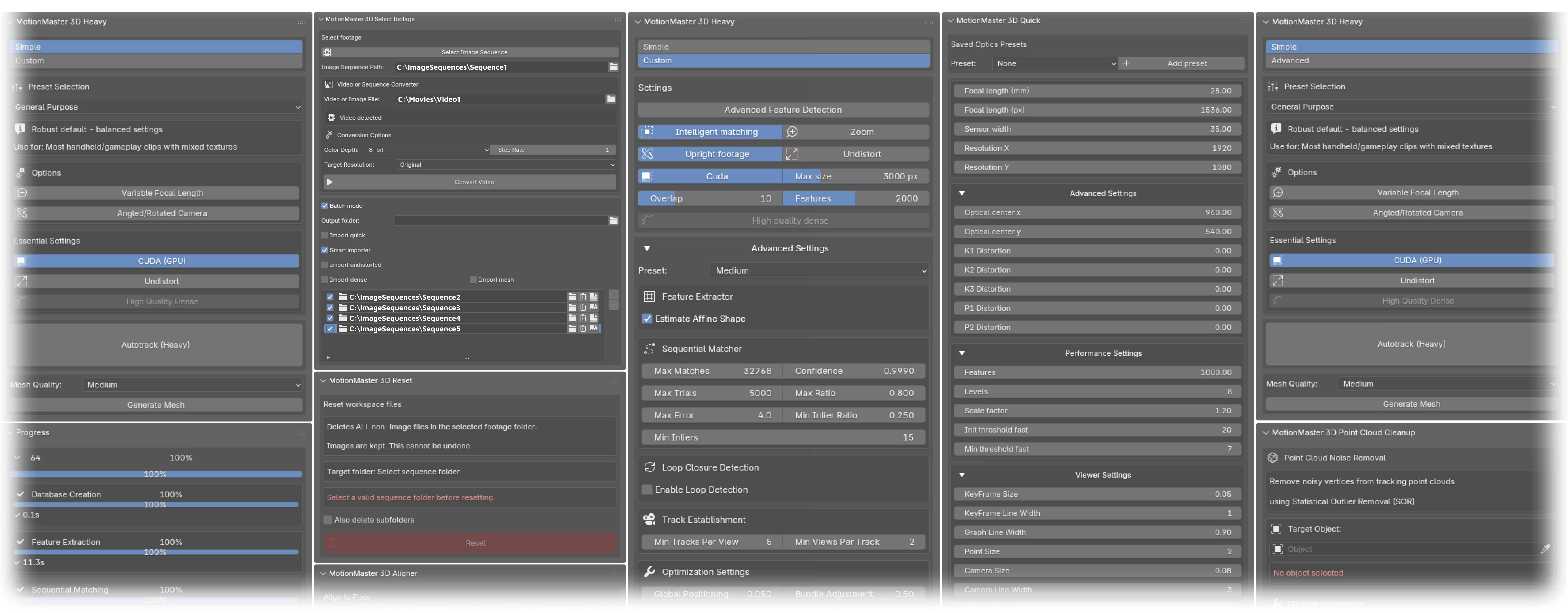
MotionMaster 3D Blender panels and tracking workflow
MotionMaster 3D workflow Quick, Heavy, Planar, Tripod, Lens, Dense, Mesh, Batch
MotionMaster advantage

A complete Blender VFX pipeline: Quick, Heavy, Planar, and Tripod tracking, lens calibration and STMaps, masks, dense, mesh, surfaces, projection, texture bake, cleanup, alignment, and batch work.

Camera Tracker strength

A compact $30 automatic Blender tracker with a Pin Tool, Point Tool, ground alignment, tripod solver, camera smoothing, and Windows plus Apple Silicon macOS support.

Best decision

Use MotionMaster 3D when the shot needs planar or tripod tracking, lens calibration, masks, reconstruction output, scene cleanup, mesh reference, or repeated shot processing.

// Feature matrix

MotionMaster 3D vs Camera Tracker 6: what matters in production

Workflow areaRecommended MotionMaster 3DCamera Tracker 6Why it matters
Product focusBlender addon for camera tracking, footage prep, masking, reconstruction, dense point clouds, mesh output, cleanup, alignment, imports, and batch processing.Blender addon by CGMatter focused on automatic photogrammetry-based camera tracking.Both tools solve camera-tracking pain, but MotionMaster 3D is designed around the complete Blender shot workflow.
Tracking workflowQuick tracking gives fast previews. Heavy tracking provides a more robust reconstruction path for serious shots.Camera Tracker 6 is a one-click automatic photogrammetry solve with a rebuilt tripod solver that supports zoom, a focal-length estimate option, sequential matching overlap control, and non-destructive camera smoothing.MotionMaster 3D gives you a clear fast path and a deeper production path in the same addon.
Planar and tripod trackingDedicated Planar Tracker (four-corner perspective tracking with CUDA, Hybrid, and CPU engines, AdjustTrack drift correction, native Plane Track and Corner Pin output) and a Tripod Tracker for pan, tilt, roll, and zoom shots with focal estimation.Camera Tracker 6 includes a rebuilt tripod solver with zoom support. No planar tracker is listed.Screen, sign, and wall replacements normally mean a round trip through Mocha or After Effects. MotionMaster 3D keeps them inside Blender.
Lens calibration and STMapsLens-model solving, versioned calibration export, and Nuke/Fusion-compatible STMap export alongside undistorted sequences.Camera Tracker 6 lists lens undistortion. No calibration or STMap export is listed.STMaps matter when the Blender solve has to hand off to a compositor or a studio pipeline.
Moving objects and masksSAM2 object masks, polygon masks, multi-layer mask composition, and mask-guided Heavy tracking.Camera Tracker 6 lists alpha mask support, actor rotomation (foreground detection/masking), and object tracking.MotionMaster 3D keeps mask creation, mask composition, and the Heavy solve together in the Blender workflow.
Scene reconstructionSparse track output, dense color point clouds, optional mesh generation, smart result importing, cleanup, and floor alignment.Camera Tracker 6 lists dense colored point cloud reconstruction, lens undistortion, a Point Tool for triangulating a 3D point from two clicks, a Pin Tool for aligning a mesh to the shot, and ground alignment from a vertex selection.MotionMaster 3D matches the point, pin, and ground tools with its 3D Point Generator, Perspective Matcher, and Aligner, and adds point-cloud surfaces, mesh generation, footage projection, and multi-frame texture baking so the reconstruction becomes usable Blender geometry.
Batch workBatch processing can convert, Quick track, Heavy track, generate dense results, generate meshes, and import selected outputs across multiple sequences.Camera Tracker is primarily presented as a single-shot automatic tracking addon.For repeated clips, client shots, drone sequences, or social VFX batches, MotionMaster 3D reduces manual setup.
Platform fitMotionMaster 3D currently focuses on Windows Blender workflows.Camera Tracker lists Windows and Apple Silicon macOS support, with Linux unsupported.If you need macOS today, Camera Tracker may fit better. If you are on Windows and want a broader pipeline, MotionMaster 3D is the better fit.

Scroll the table sideways to compare →

01

The real difference is workflow depth

Camera Tracker and MotionMaster 3D both help Blender users avoid painful manual tracking. The difference is what happens around the solve. Camera Tracker 6 is a focused automatic tracker with useful alignment helpers. MotionMaster 3D is built to carry the shot further: footage conversion, quick previews, heavy reconstruction, planar and tripod tracking, lens calibration and STMaps, masks, dense point clouds, surfaces and mesh generation, footage projection, texture baking, result imports, cleanup, floor alignment, and batch processing.

That matters when a shot is not perfectly clean. Moving cars, people, actors, reflections, long clips, noisy points, mismatched imports, or repeated sequences all create work after the first camera solve. MotionMaster 3D gives you tools for those problems inside the same Blender addon.

  • Quick tracking for fast previews and Heavy tracking for higher-quality reconstruction work.
  • Planar Tracker with a dedicated Track Workspace (layers, holdouts, AdjustTrack corrections, measured Track Error, Add To Existing Camera) and a rotation-only Tripod Tracker with automatic focal-length estimation (1.0.7, Max).
  • COLMAP, GLOMAP, and OpenMVS-based Heavy workflows with CUDA-oriented performance on supported Windows systems, 12 selectable camera models, lens calibration export, and 32-bit undistort/redistort STMaps.
  • AI SAM2 masks, polygon masks, composed mask layers, and mask-guided tracking for moving foreground objects.
  • Dense point clouds, mesh generation, undistortion, smart imports, point cloud cleanup, floor alignment, a two-view 3D Point Generator, point-cloud surfaces, camera footage projection, and multi-frame texture baking.
  • Video conversion, image-sequence downscaling, batch processing, watch-folder style workflows, job cancellation, progress reporting, account downloads, and support tools.
02

Camera Tracker 6 is not a weak competitor

Camera Tracker 6 lists meaningful features: one-click automation, a Pin Tool for aligning meshes and scans to the shot, a Point Tool, ground alignment, a rebuilt tripod solver with zoom, camera smoothing, object tracking, dense reconstruction, actor rotomation, cuDNN/CUDA acceleration, undistortion, and alpha masks. At $30 for a single seat it also has a strong presence on the Blender addon market.

That is exactly why MotionMaster 3D should be compared on breadth and practical output. If all you need is a compact automatic camera solve, Camera Tracker can make sense. If you need masks, dense output, mesh reference, cleanup, alignment, and batch work as part of the same shot pipeline, MotionMaster 3D gives you more room to finish the job.

  • Use MotionMaster 3D for masked Heavy tracking, dense reconstruction, and mesh output.
  • Use MotionMaster 3D when the result needs cleanup, alignment, or careful importing back into Blender.
  • Use MotionMaster 3D when you have multiple clips and want repeatable batch processing.
03

Why MotionMaster 3D fits demanding Blender shots

A camera track is only valuable when it becomes a workable Blender scene. MotionMaster 3D is built for that full handoff. You can prepare footage, test a Quick solve, run a heavier reconstruction, create masks for problem areas, generate dense or mesh reference, import the right result, remove point cloud noise, and align the scene to the floor.

For Blender artists, that means less switching between tools and fewer loose steps between tracking and final CG placement.

  • Fast iteration for simple shots.
  • Heavier reconstruction for shots that need more detail.
  • Blender-ready output for layout, lighting reference, and CG placement.
Choose MotionMaster 3D when
  • You need planar tracking, tripod tracking, or lens calibration and STMap export inside Blender.
  • You want Quick and Heavy tracking paths instead of one primary solve workflow.
  • You want dense point clouds, mesh generation, point cloud cleanup, and floor alignment in the same addon.
  • You need SAM2 and polygon masks tied directly into tracking.
  • You process multiple sequences and want batch operations with progress tracking.
Consider Camera Tracker when
  • You need Apple Silicon macOS support today.
  • You mainly want a compact, inexpensive automatic Blender camera solve.
  • You do not need planar tracking, lens calibration, mesh generation, mask composition, projection, texture baking, or batch processing.

// Blender outcome

Built for the moment after the camera solve

A camera track is only useful if the scene becomes workable. MotionMaster 3D focuses on the surrounding workflow: convert footage, estimate focal length, track, mask, generate point clouds or meshes, import cleanly, align the floor, remove outliers, reset old runs, and keep repeat shots organized.

Start tracking in Blender
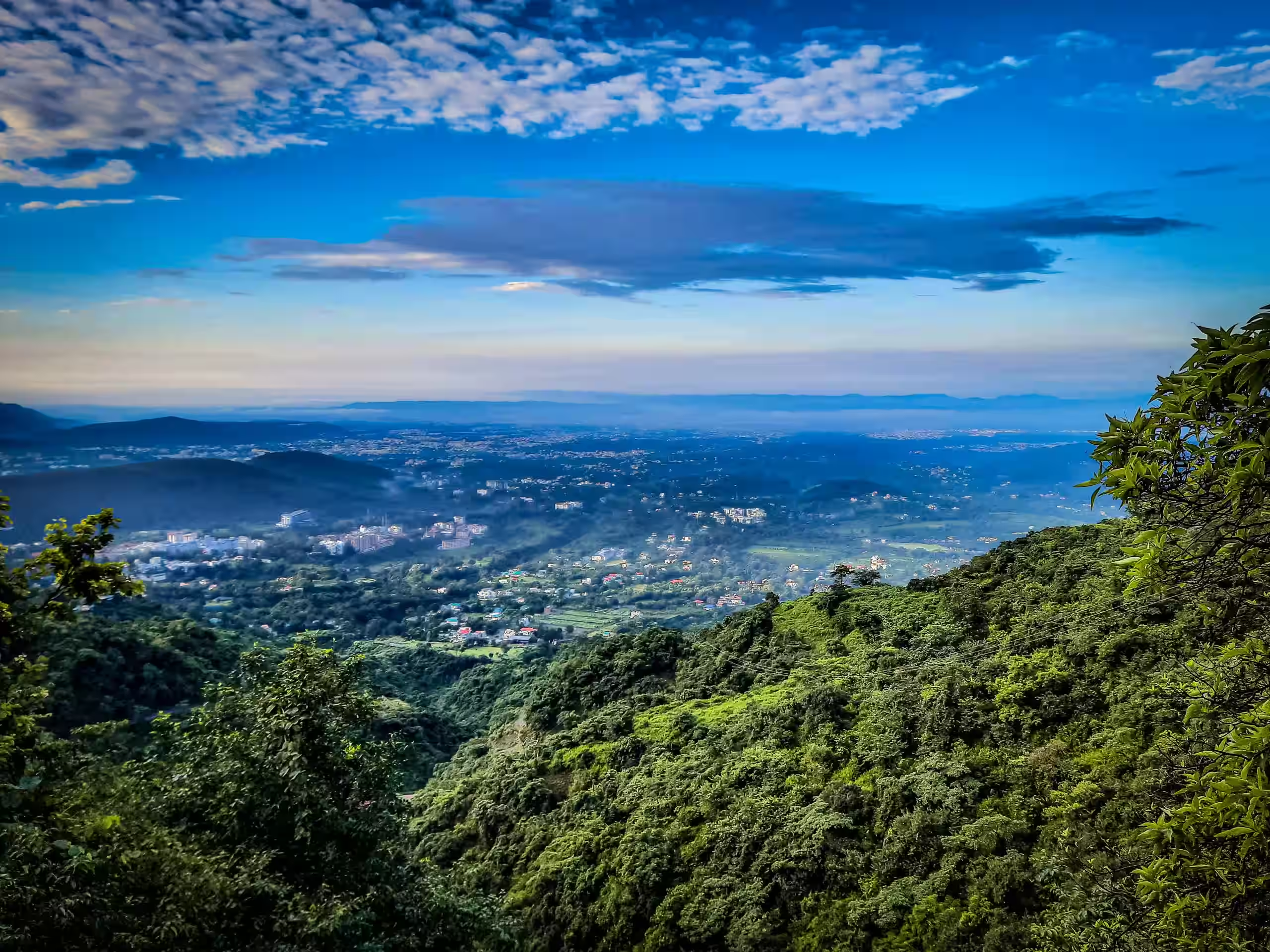
Dense point cloud generated for Blender camera tracking

// FAQ

Common questions

Q01

Is MotionMaster 3D a Camera Tracker 6 alternative?

Yes, especially for Windows Blender users who want a broader camera tracking and reconstruction workflow. MotionMaster 3D is not a clone of Camera Tracker. It combines Quick tracking, Heavy tracking, a planar tracker, a tripod tracker, lens calibration and STMaps, masks, dense point clouds, surfaces and mesh generation, projection, texture baking, batch processing, importing, cleanup, and alignment.

Q02

Which is better for dense reconstruction?

Both Camera Tracker 6 and MotionMaster 3D describe dense point cloud workflows. MotionMaster 3D becomes especially useful when you also want mesh generation, point cloud cleanup, smart importing, floor alignment, and batch processing inside Blender.

Q03

Which is better for moving objects in footage?

Both products include mask-related workflows. MotionMaster 3D emphasizes SAM2 masks, polygon mask layers, composed masks, and mask-guided Heavy tracking for cars, actors, people, and other moving elements.

Q04

Does Camera Tracker 6 have planar tracking?

Camera Tracker 6 lists a rebuilt tripod solver, a Pin Tool, a Point Tool, and ground alignment, but no planar tracker. MotionMaster 3D 1.0.7 includes a dedicated Planar Tracker with four-corner perspective tracking, AdjustTrack drift correction, and native Blender Plane Track and Corner Pin output.

Q05

Does Camera Tracker support macOS?

Camera Tracker lists Apple Silicon macOS support. MotionMaster 3D currently focuses on Windows Blender workflows, where it offers a broader tracking, reconstruction, cleanup, and batch pipeline.

// References

Sources used for this comparison