Quick comparison
| Tool | Price | What it does | Platforms | Best for |
|---|---|---|---|---|
| Blender built-in tracker | Free | Manual tracking, camera, tripod and object solves, plane tracks | Windows, macOS, Linux | Learning and full manual control |
| MotionMaster 3D | $29.99 Standard, $59.99 Max, $299 Studio, one-time | Automatic camera solve; with Max also AI masks, planar and tripod trackers, dense clouds, meshes, lens calibration | Windows, Blender 5.1+ | Difficult footage and an all-in-one Blender workflow |
| Camera Tracker 6 (CGMatter) | $30, 3 seats $60, 10 seats $150, one-time | Automatic camera and tripod solve, object tracking, dense clouds, actor masking | Windows, macOS Apple Silicon, Blender 5.1 to 5.2 | Mac users who want an automatic solver |
| Easy Camera Tracker (Sander Wit) | $17.50 on Superhive, $20 on Gumroad | Automatic COLMAP based solve, rotation-only and zoom shots, undistortion | Windows, macOS 13+ Apple Silicon, Blender 4.5 to 5.2 | The lowest-cost automatic solve |
| KeenTools GeoTracker | Subscription from $19.99 a month, 15-day trial | Geometry-based object and camera tracking against a 3D model | Windows, macOS, Linux | Tracking objects you have a model of |
| Polychase | Free, open source | Mesh-based tracking with 3D pins, camera or object | Windows, macOS Apple Silicon, Linux, Blender 4.2+ | Free geometry tracking |
| AutoTrack (Siemen-Lens) | Free | Automates Blender's own tracking and solving | Blender 4.2+ | Speeding up the built-in workflow |
How I compared them
Most Blender users do not need the deepest matchmoving software in the industry. They need a usable solve for their shot without losing an afternoon. So I looked at the things that decide that in practice:
- Automation. Does it solve on its own, or do you place and clean tracks by hand?
- Difficult footage. Motion blur, hard light, few features and moving people or cars.
- Shot types. Tripod pans, zoom shots, planar surfaces and moving objects, not only walking shots.
- Lens handling. Can it solve lens distortion and give you something to undistort the plate with?
- Scene output. Just a camera, or also point clouds, meshes and alignment tools?
- Platform and price. Operating system, Blender versions, one-time or subscription.
Blender's built-in tracker
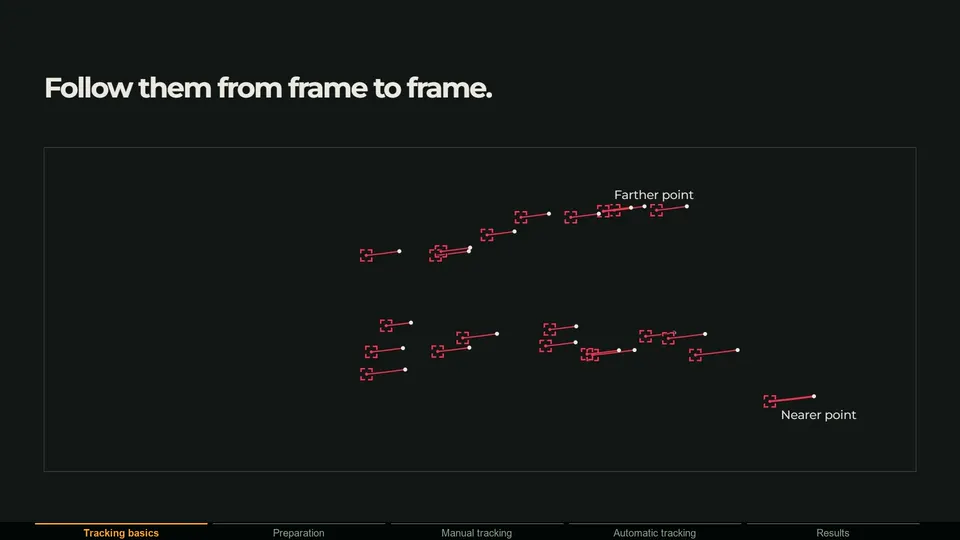
Blender ships with a complete motion tracking system in the Movie Clip Editor, based on the libmv library. You can detect and track features, solve camera or object motion, use a tripod solver for rotation-only shots, refine focal length and lens distortion, build plane tracks and stabilize footage. It is free, runs everywhere and teaches you how tracking really works.
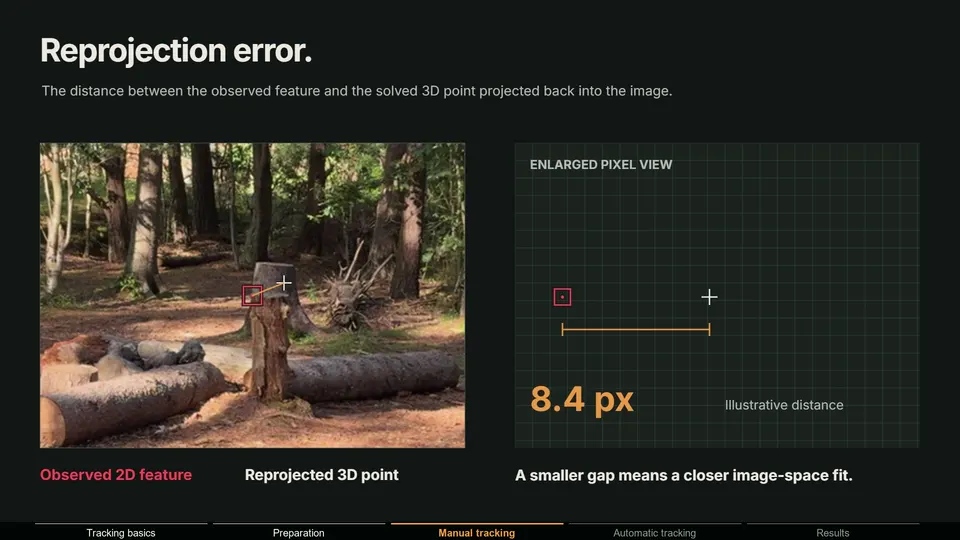
The catch is time. You place tracks, delete the ones that slip, add new ones and solve again until the solve error is low enough. On clean footage that is fine. On a shot with motion blur, people walking through and few good features, it can take hours. It also uses one focal length per clip, so zoom shots are hard.
Best for: learning, simple shots and anyone who wants full manual control. Compare it in detail on MotionMaster 3D vs Blender's camera tracker.
MotionMaster 3D
This is the addon I build, so weigh this section accordingly. MotionMaster 3D is a full tracking pipeline inside Blender. Heavy Tracking runs an automatic COLMAP and GLOMAP based solve with presets for difficult footage, AI masks based on SAM 2 remove moving objects from a click, and the result comes back as a normal Blender camera with sparse or dense point clouds, optional meshes, cleanup and floor alignment. Batch processing tracks many clips in one go.
Standard covers Quick and Heavy Tracking with floor alignment. The masks, dense point clouds, meshes, cleanup and batch processing above need the Max tier, which also adds the tools from version 1.0.7: a Mocha-style Planar Tracker with drift correction, a rotation-only Tripod Tracker with automatic focal length, lens calibration with 12 camera models and STMap export, a two-view 3D point generator, point cloud surfaces, footage projection and texture baking.
- Pros: automatic solves on difficult footage, AI masks for moving objects, camera, planar and tripod tracking in one place, reconstruction and lens tools, one-time price.
- Cons: Windows only, an NVIDIA GPU is recommended for speed, and everything beyond Quick and Heavy Tracking (masks, dense clouds, batch and the 1.0.7 tools) needs the Max tier.
- Pricing: Standard $29.99, Max $59.99, Studio $299 for companies with $100,000 or more in yearly revenue. One-time, with free 1.x updates.
Jacob Zirkle reviewed it independently in The BEST Blender Camera Tracker I've Ever Used if you want an outside opinion.
Best for: real-world footage that fights back, shots with people or cars, and artists who want camera, planar and tripod tracking without leaving Blender.
Camera Tracker 6
Camera Tracker by CGMatter is one of the most popular tracking addons on Superhive, with more than 5,900 sales. Version 6 describes an automatic camera and tripod solve based on photogrammetry, a rebuilt tripod solver that handles zoom and variable zoom, object tracking by masking an object and inverting the camera solve, dense colored point clouds, automatic actor masking, undistortion with k1 and k2 output, and pin, point and ground tools.
- Pros: low price, macOS Apple Silicon support, large user base and many ratings.
- Cons: no Linux, and each major version targets a narrow range of Blender versions. CUDA acceleration is Windows and NVIDIA only. No dedicated planar tracker is listed.
- Pricing: $30 for one seat, $60 for 3 seats, $150 for 10 seats, one-time.
Best for: Mac users who want an automatic solver at a low price. A detailed side by side is on MotionMaster 3D vs Camera Tracker.
Easy Camera Tracker
Easy Camera Tracker by Sander Wit uses COLMAP under the hood, the same open-source reconstruction engine behind several trackers, with Blender's own tracker as an alternative mode. It offers a fully automatic solve, rotation-only and zoom shots, undistortion for compositing, video trimming and conversion, and object tracking through an implementation of Polychase. Dense point clouds need Windows and an NVIDIA GPU.
- Pros: the cheapest automatic solve on this list, macOS Apple Silicon support, honest documentation of its limits.
- Cons: the developer states it struggles with moving objects, motion blur, depth of field and reflections. No Linux and no Intel Mac.
- Pricing: $17.50 on Superhive, $20 on Gumroad, one-time.
Best for: clean footage on a tight budget, especially on Apple Silicon.
KeenTools GeoTracker
GeoTracker works differently from the others. Instead of solving from many tracked features, it aligns a 3D model to the footage and tracks that model through the shot. That makes it excellent for objects you have geometry for, and it can solve the camera by tracking a model of the environment. It supports focal length estimation, zoom, 2D and 3D masks and texture projection.
- Pros: precise geometry-based tracking, works on Windows, macOS and Linux, part of a wider toolset with FaceBuilder and FaceTracker.
- Cons: you need a 3D model to track against, and it is subscription only. Older articles call it free from its beta period; it is not anymore.
- Pricing: from $19.99 a month or $191.88 a year for freelancers, $699 a year for studios, with a 15-day trial.
Best for: object tracking and shots where you have, or can build, the geometry.
Polychase
Polychase is a free, open-source addon on extensions.blender.org, openly inspired by GeoTracker. You place 3D pins on a mesh, and it tracks with optical flow, solves the pose and refines it with bundle adjustment. It can track the camera or the geometry, estimates focal length and principal point, and supports 3D masks.
- Pros: free and open source, runs on Windows, Apple Silicon Macs and Linux.
- Cons: early version numbers, and it needs a mesh and manual pins rather than solving from footage alone.
Best for: free geometry-based tracking if you are comfortable with an early-stage tool.
AutoTrack and other free helpers
Several free addons on extensions.blender.org automate parts of Blender's own workflow rather than replacing it. AutoTrack by Siemen-Lens runs automated 2D tracking and a two-pass solve that filters tracks by reprojection error, with a tripod mode, focal length and distortion refinement, annotation masks, beta object tracking and a surface generator. Auto-tracking by mcd1992 is a small helper that runs Detect Features and Track Forward for you but does not solve. PinSolver aligns cameras and objects from points with known 3D positions.
Best for: making Blender's built-in tracker faster without spending money.
Standalone trackers: SynthEyes, PFTrack and 3DEqualizer
If you work in a studio pipeline, standalone matchmoving applications go much deeper than any addon. SynthEyes from Boris FX costs $62 a month, $325 a year or $655 for a perpetual license and exports to Blender. PFTrack and 3DEqualizer are high-end tools used on feature films. The trade-off is price, a separate application, and an export step for every shot. For planar work, Mocha Pro is the industry standard, but Blender is not one of its plugin hosts, so data has to be exported.
Detailed comparisons: vs SynthEyes, vs PFTrack and vs 3DEqualizer.
Which one should you choose?
| Your situation | Good fit |
|---|---|
| Learning tracking, or zero budget | Blender's built-in tracker, optionally with AutoTrack |
| You work on a Mac | Camera Tracker 6 or Easy Camera Tracker |
| Clean footage, smallest budget | Easy Camera Tracker |
| Tracking an object you have a 3D model of | KeenTools GeoTracker or Polychase |
| Footage with blur, hard light, people or cars | MotionMaster 3D |
| Camera, planar and tripod tracking in one Blender tool | MotionMaster 3D (Max) |
| Studio pipeline with Nuke and multiple applications | SynthEyes, PFTrack or 3DEqualizer |
Test with your own hardest shot
Every tracker looks great on its own demo footage. Before you commit, run your most difficult real shot through Blender's free tracker first, so you know what a manual solve costs you in time, then compare. Check the refund policy of anything you buy, and check that it supports your Blender version and operating system. And remember that good footage beats every tool on this list: what makes footage good for camera tracking is worth reading whichever addon you choose.