Why a pan has no parallax
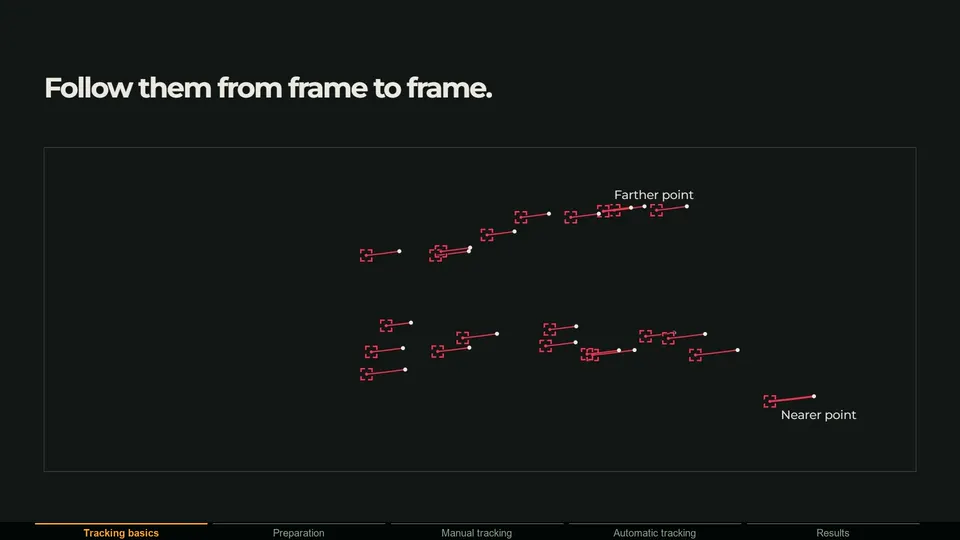
A camera solver measures depth from parallax: when the camera moves sideways, near things shift across the frame more than far things. On a pan or tilt from a fixed point, that difference disappears. Every point moves by an amount that depends only on its direction from the camera, not on its distance.
Scale the whole scene up or down around the camera and a nodal pan looks identical: a 2 m statue 10 m away and a 20 m statue 100 m away produce the same pixels. A solver can recover the rotation, and with enough rotation the focal length, but never distance or scale. A normal camera solve asks for depth the footage does not contain.
Strictly, the camera has to rotate around the entrance pupil of the lens, often called the nodal point. A tripod head usually turns around an axis several centimeters behind it, so even tripod shots show a little parallax close to the lens. Not sure what kind of shot you have? See camera vs planar vs tripod tracking.
How to solve a pan with Blender's Tripod solver
The Blender manual describes Tripod as a solver for footage where the camera only rotates: it solves the relative rotation, then reprojects the feature points onto a sphere, at the same distance from the camera for every point. More tracks do not mean a more accurate result; 5 to 10 per frame is typical.
- 1 Enter the camera data
In the sidebar's Track tab, enter the sensor width in Camera and the focal length in its Lens subpanel. A tripod solve can refine the focal length, but only from a reasonable starting value.
- 2 Track 5 to 10 features spread over the frame
Pick sharp, high-contrast details on static, preferably distant parts of the scene, spread left, right, top and bottom.
- 3 Keep the tracks overlapping
The solver goes through the clip frame by frame and estimates each new rotation from tracks it has already placed; in Blender's source code a frame needs at least two of them. Start new tracks on the incoming side of the frame while several old ones are still visible.
- 4 Enable Tripod
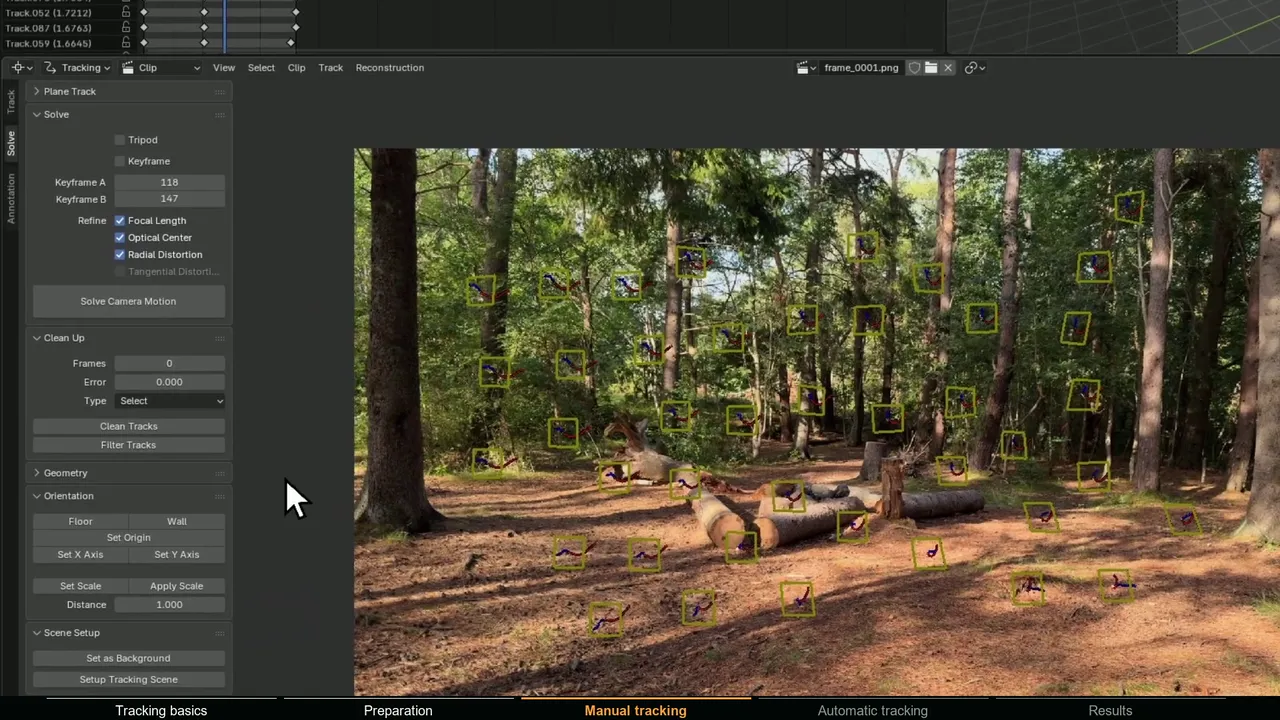
In the Movie Clip Editor toolbar, open the Solve tab and tick Tripod. Keyframe and Keyframe A/B grey out, because a rotation-only solve does not start from a keyframe pair.
- 5 Refine if needed, then solve
Optionally tick Refine > Focal Length, click Solve Camera Motion, and check the result with a test object placed far out in the scene.
After the solve, the camera stays in one place and every bundle sits on a sphere around it; in Blender's source code, those points are placed 5 units from the camera. The point cloud is a shell, not a reconstruction of the scene.
Handheld pans that are almost nodal
Real pans are rarely perfect. A tripod head turns behind the lens, and a handheld pan swings the camera on an arc around your body. A rough calculation shows when that matters: with the lens 10 cm in front of the rotation axis, a 30 degree pan moves it about 5 cm. A branch 2 m away then shifts against the distant background by about 1.5 degrees, roughly 45 to 50 pixels in a 1920 px wide frame with a 60 degree field of view. At 10 m the shift is about 10 pixels, at 50 m about 2.
- Everything that matters is far away (a skyline, a building across the street, a sky replacement): solve as a tripod with tracks on the distant parts. The small parallax shows up as a slightly higher solve error.
- Close objects with clear parallax, and CG that touches them: the shot is no longer a pan. Use a normal camera solve with the real focal length entered. MotionMaster 3D Heavy Tracking is built for this kind of translating footage.
- In between: delete the tracks on near objects, solve as a tripod and judge the CG against the background.
If a tripod solve holds on one part of the frame and slides on another, the cause is usually parallax, not a bad track.
How to track whip pans and motion blur
A whip pan smears the image so much that trackers lose lock: the pattern they search for is gone in the blurred frames.
- Track the readable parts. Solve the frames before and after the whip. Where a frame has no solved camera, Blender's Camera Solver constraint blends between the nearest solved frames, but that is a straight blend, not the real acceleration of the whip.
- Animate the blurred section by hand. Bake the solve with Constraint to F-Curve in the constraint panel, then key the rotation through the whip. The CG will be as blurred as the plate, so small errors hide.
- Match the blur. Enable motion blur and set Shutter to the frame rate times the shutter time. For the skew phones produce on fast pans, Cycles has a Rolling Shutter option in the Motion Blur panel.
- Prevent it next time with a faster shutter. See how to shoot footage for camera tracking.
What if the camera zooms during the pan?
Blender's tracking camera has one focal length for the whole clip, so a zoom during the pan makes the solve drift or fail. Your options:
- Solve only the part before or after the zoom, if the CG is only needed there.
- Treat it as a 2D problem if the CG is far away or flat. A plane track or corner pin does not care about focal length.
- Use a per-frame focal length. The MotionMaster 3D Tripod Tracker animates focal length when its lens source is a Solved Lens Result from a Heavy Tracking run with Zoom enabled on the same plate. Its Auto Lens mode estimates one focal length for the whole range, so it is not meant for zooms.
How to place CG on a nodal pan
Because the solve has no scale, you decide where things are. Any distance works, as long as size, perspective and lighting agree with the plate. On a true nodal pan an object at any distance stays locked to the plate, since nothing has parallax. If your CG slides, the rotation is wrong or the shot has parallax; the distance is never the cause.
- 1 Level the camera
Bake the Camera Solver constraint with Constraint to F-Curve, parent the camera to an Empty at the camera position, and rotate the Empty until a known vertical, such as a tree trunk or door frame, is vertical in camera view.
- 2 Pick a camera height
Raise the Empty to the real camera height, for example 1.6 m handheld or the tripod height you noted on set, and put a ground plane at zero height. Now the ground fixes the scale: every floor pixel maps to exactly one point on that plane.
- 3 Check perspective and size
Place a test cube where the CG goes. Since it stays locked at any distance, judge perspective instead: its bottom edges should follow lines on the real ground. Then scale the CG against something of known size, such as a door or a person.
- 4 Light it like any tracked shot
With the ground at the right height, a Sun lamp and a shadow catcher behave as in any other shot.
When a planar or 2D track is enough
- A sign, screen, poster or wall. Blender's Create Plane Track needs at least four point tracks on the surface, and the compositor's Plane Track Deform node puts an image on it, whatever the camera did.
- A distant element, such as a sky replacement or a matte painting. On a pan, everything far away moves together, so a Track Position node or a 2D stabilize can carry it.
- A surface that is hard to track, with blur, occlusion or corners leaving the frame. The MotionMaster 3D Planar Tracker (Max) tracks a four-corner shape, corrects drift with AdjustTrack and publishes a native Plane Track, a Corner Pin node and a 3D plane or camera.
Tripod tracking with MotionMaster 3D
The MotionMaster 3D Tripod Tracker, part of Max, is a rotation-only solver for these shots. In the Planar & Tripod Trackers panel, choose Tripod, set the source range, reference frame and direction, and pick the Fast, Production or VFX profile, which solve internally at up to 960, 1440 or 1920 px while results stay at source resolution.
Auto Lens estimates the focal length from the pan itself. For roll-only or nearly static footage the focal length cannot be observed, so the solver flags the estimate as ambiguous, uses a neutral 35 mm value to still solve the rotation, and asks you to choose another lens source: Manual Focal, a Solved Lens Result from Heavy Tracking (with its distortion model and per-frame zoom data), or Advanced Camera values.
People, reflections or screens can be left out with Exclude Masked Areas, which reads one mask per frame and ignores white pixels. Click Track Tripod and Blender stays responsive while it runs. The camera comes back parented to an MM3D Tripod Adjustment Empty with zero local translation, so moving or rotating that Empty levels and positions the whole solve without touching the solved keys, exactly what the placement steps above need.
It is strict about what counts as a rotation. A frame that fails its checks stops the solve with diagnostics naming the frame, the feature matches and the likely cause, and every frame accepted before it is kept as keyframes. Footage with mild parallax or digital stabilization can pass through an approximate path and is marked for review. Shots with real camera translation belong in Heavy Tracking.