What you need for the free COLMAP to Blender workflow
- COLMAP, from the GitHub releases. Version 4.2.1 is current as of October 2026. On Windows, take
colmap-x64-windows-cuda.zipfor an NVIDIA GPU, otherwisecolmap-x64-windows-nocuda.zip. - FFmpeg, from ffmpeg.org, to turn the video into an image sequence.
- Blender 5.x.
- The Photogrammetry Importer by SBCV, from its GitHub page. The latest release is from February 16, 2026, and the README states compatibility with Blender 5.0.2 onwards (checked October 2026).
Many artists start from Polyfjord's free COLMAP tutorial (BlenderNation write-up), which wraps the same tools in a batch script. The steps below are that same pipeline written out command by command, so when something fails you can see which step it was.
How to extract frames from a video with FFmpeg
Put the frames in an images folder inside a project folder, for example with ffmpeg -i shot.mp4 -qscale:v 2 project/images/frame_%05d.jpg. -qscale:v 2 keeps JPEG quality high, and %05d gives zero-padded names like frame_00001.jpg.
The zero padding is not cosmetic. COLMAP's sequential matcher orders images by file name, and the Photogrammetry Importer builds the camera animation in file name order. With names like frame_2.jpg and frame_10.jpg, both get the order wrong.
Keep every frame for VFX work. You can extract fewer frames for a long take, and the importer can interpolate between solved cameras, but an interpolated camera is a guess, and guesses slide.
How to run COLMAP: feature extraction, matching and mapping
On Windows, replace colmap in these commands with the full path to COLMAP.bat in the folder you unzipped. The reason is explained in the Qt error section below.
- 1 Extract features
colmap feature_extractor --database_path project/database.db --image_path project/images --ImageReader.single_camera 1.single_cameramakes all frames share one lens, right for video without zoom. To use a model other than the defaultSIMPLE_RADIAL, see COLMAP camera models explained. - 2 Match features
colmap sequential_matcher --database_path project/database.db. Add--SequentialMatching.loop_detection 1when the camera comes back to a place it has already seen. - 3 Reconstruct
Create the folder
project/sparse, then runcolmap mapper --database_path project/database.db --image_path project/images --output_path project/sparse, orcolmap global_mapperwith the same arguments. Results land in numbered subfolders:sparse/0,sparse/1and so on. - 4 Check the result
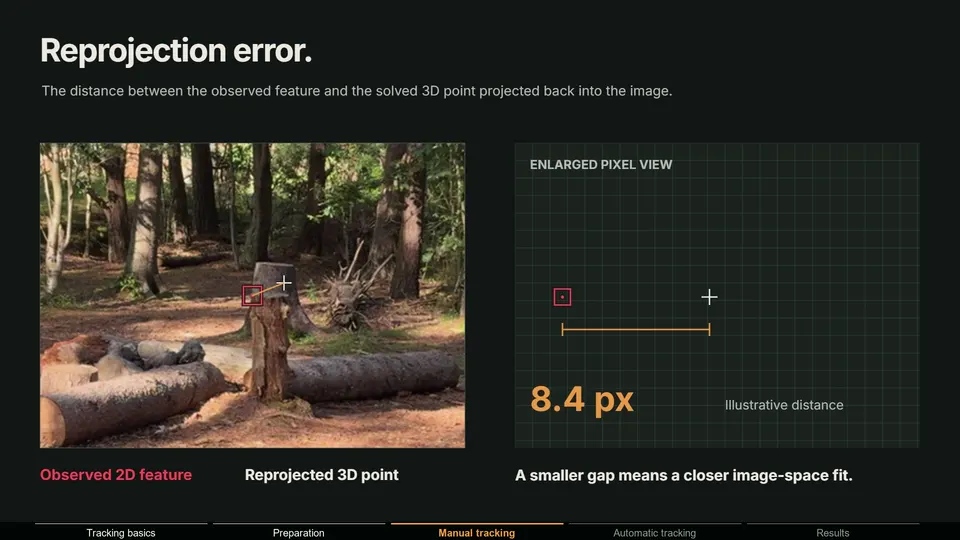
colmap model_analyzer --path project/sparse/0prints how many images were registered, the number of points and the mean reprojection error. If the number of registered images is far below your frame count, jump to the two-camera section. - 5 Undistort
colmap image_undistorter --image_path project/images --input_path project/sparse/0 --output_path project/dense --output_type COLMAP. This writes undistorted frames and aPINHOLEcamera model, which is what Blender can match exactly.
Sequential vs exhaustive matching
| Matcher | Which frames it compares | Use it for |
|---|---|---|
sequential_matcher | Each frame with up to 10 later frames by default (1, 2, 4, 8 and so on frames ahead), plus optional loop detection | Video. This is the right choice for camera tracking |
exhaustive_matcher | Every frame with every other frame | Photo sets up to a few hundred images, or short clips with big viewpoint changes |
Mapper or GLOMAP: which one should you use?
COLMAP's classic mapper is incremental: it starts from two frames and adds the others one at a time, refining everything as it goes. The COLMAP FAQ calls it the most robust and well-tested pipeline, but it slows down on long sequences because bundle adjustment runs again and again.
GLOMAP is the global alternative: it solves all camera poses at once, and its README calls it typically one to two orders of magnitude faster with on-par or better quality. The FAQ notes the trade-off: it can be less robust to bad matches and depends on good focal length priors, so run view_graph_calibrator first when the intrinsics are unknown (on a copy of the database, since it edits it in place).
How to import COLMAP into Blender with the Photogrammetry Importer
- 1 Install the addon
Download
photogrammetry_importer.zipfrom the releases page. In Blender, openEdit > Preferences > Add-ons, choose Install from Disk, select the zip and enable it. The optional dependencies in its preferences are for other formats; its documentation lists Pillow for the MVE, Open3D and VisualSfM importers. - 2 Open the importer
File > Import > Colmap (model/workspace). Selectproject/dense(the undistorted workspace) or, for a raw model, theproject/sparse/0folder itself. - 3 Set the camera options
Keep
Import Cameras,Add Camera Motion as AnimationandAdd Background Images for the Animated Cameraon. Turn offAdd an Image Plane for each Camerafor long clips, or you get one object per frame. PointImage Directoryat the frames if Blender cannot find them. - 4 Set the point options
Keep
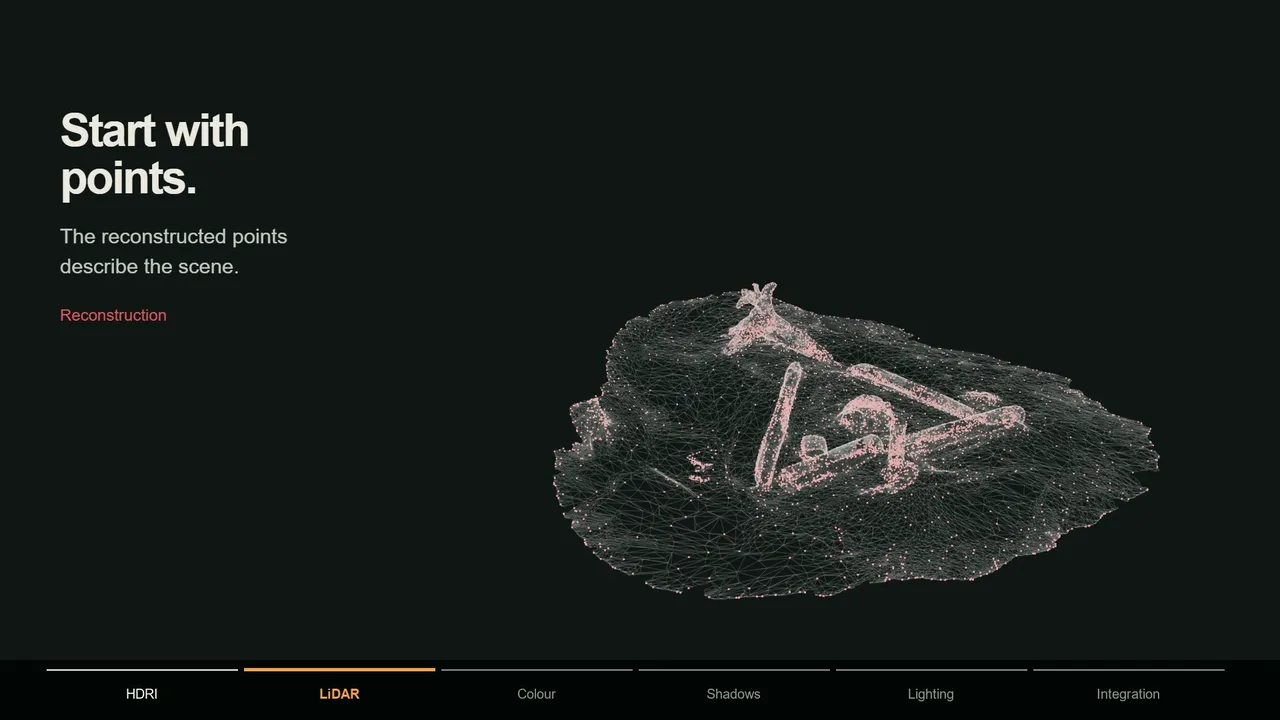
Import Points.Draw Points in the 3D View with OpenGL(on by default) handles large clouds but does not show up in renders.Add Points as Mesh Objectgives you a regular object you can snap to, and itsAdd Geometry Nodesoption makes the points renderable in EEVEE and Cycles. - 5 Check the result
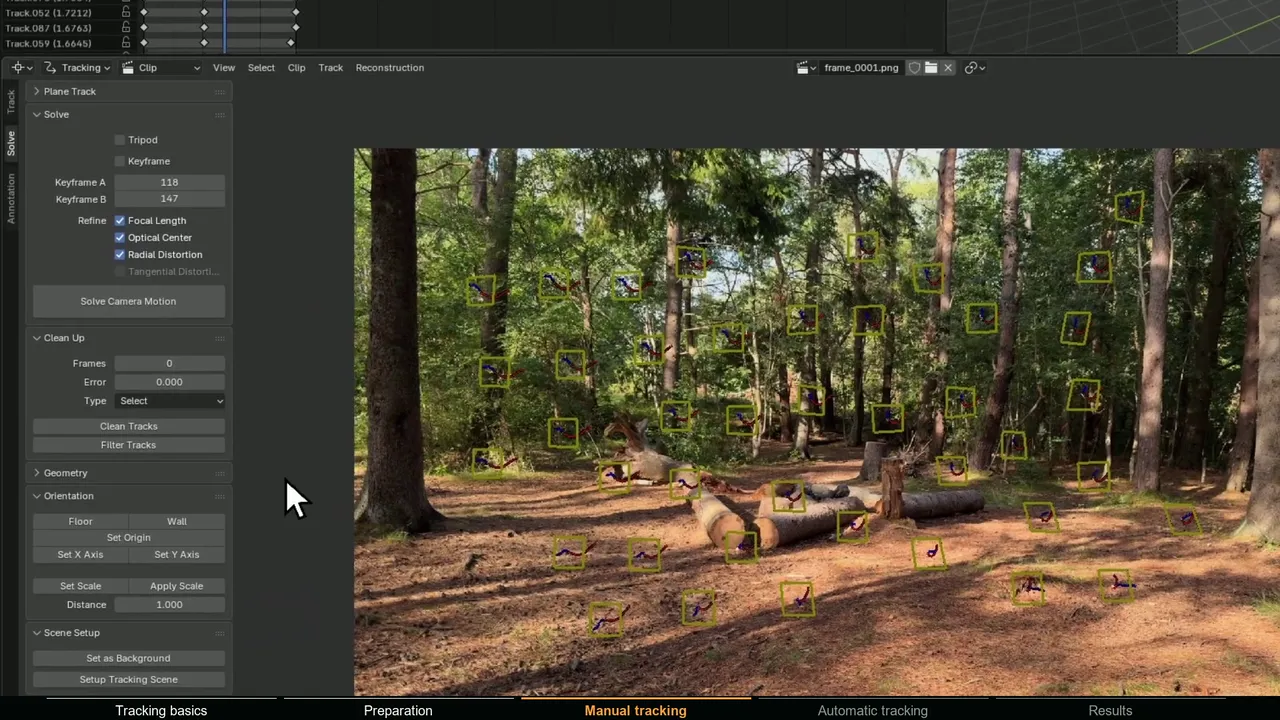
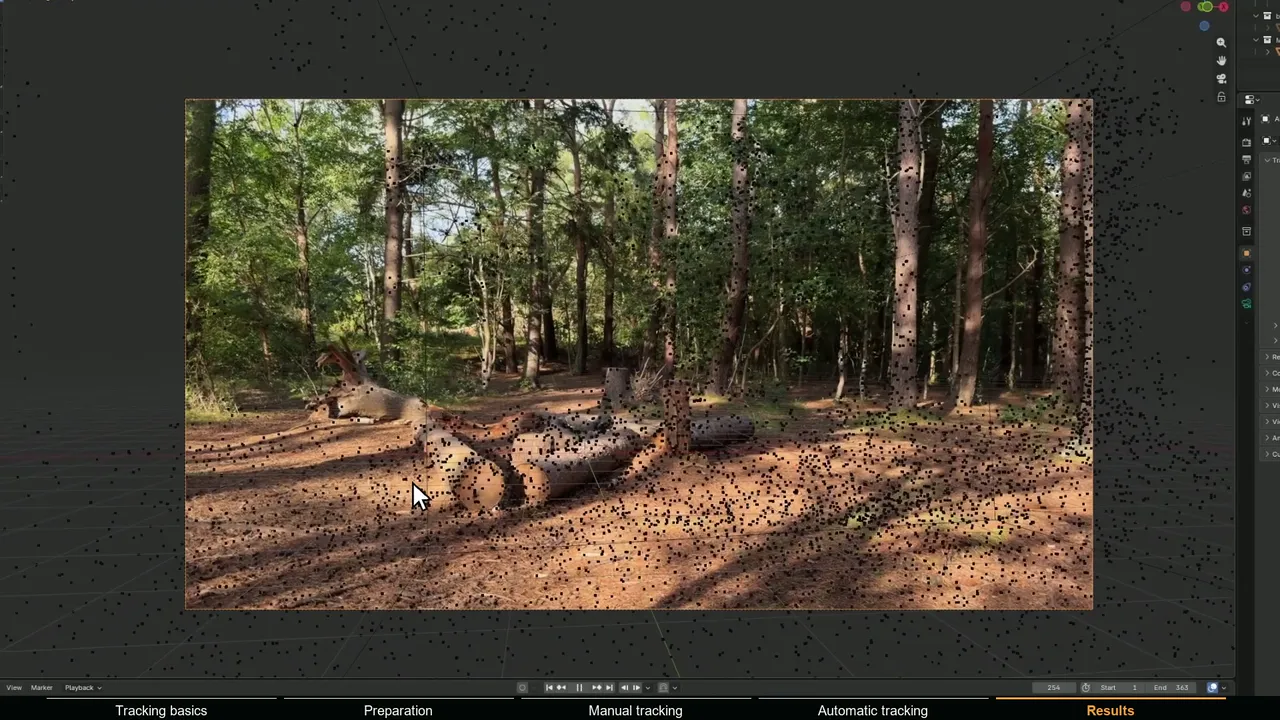
Look through the animated camera and scrub the timeline. The points should stick to the features they came from in the background image.
How to fix scale, orientation and focal length after the import
Orientation. COLMAP has no idea which way is up. Its coordinate system is set by the reconstruction itself, so the scene often arrives tilted or upside down. Parent the animated camera and the point cloud to one Empty and rotate the Empty until the floor points lie flat in a side view. For man-made scenes, colmap model_orientation_aligner can estimate the gravity axis from vanishing points before you import.
Scale. The units are arbitrary. Measure the distance between two points you know in real life with the Measure tool, then scale the Empty by real distance divided by measured distance. Because the camera is parented, its motion scales with the scene.
Focal length. COLMAP solves it in pixels. The millimeter value in Blender depends on the sensor width (focal mm = focal px × sensor width / image width), so compare field of view with the real lens, not the number alone.
Lens distortion. The importer treats every camera as a pinhole and ignores distortion terms, with a warning that Blender does not support radial distortion of cameras in the 3D View. With distorted frames the edges will not line up, so import the undistorted workspace, or redistort the render as described in lens distortion in Blender.
Background images only show in the viewport and never render. Composite the plate behind your CG instead, as shown in adding 3D objects to tracked footage.
How to fix "Could not find the Qt platform plugin windows"
The full message is qt.qpa.plugin: Could not find the Qt platform plugin "windows" in "", followed by a note that no Qt platform plugin could be initialized. COLMAP uses Qt, and Qt needs its platform plugin from the plugins folder of the COLMAP download.
The Windows release ships a COLMAP.bat that adds the bin folder to PATH and sets QT_PLUGIN_PATH to the plugins folder before it starts bin\colmap.exe. A script that calls colmap.exe directly skips that step, and Qt fails. The fixes, in order:
- Call
COLMAP.batinstead ofcolmap.exe, with its full path. It passes your arguments straight through. - Or set the environment variable
QT_PLUGIN_PATHto thepluginsfolder inside your COLMAP folder. Users in COLMAP issue 475 report that this fixes the error. - Check whether other software has set
QT_PLUGIN_PATHorQT_QPA_PLATFORM_PLUGIN_PATHglobally to its own Qt folder. Point it at COLMAP or remove it while you run COLMAP.
On a Linux machine without a display, the similar xcb error comes from the GPU feature extractor needing an OpenGL context. The CUDA build or CPU extraction with --FeatureExtraction.use_gpu 0 avoids it.
Why did COLMAP only reconstruct 2 cameras?
A model with two or three registered images means the mapper found a starting pair and then could not connect the next frame. Work through these in order:
- Look in the other folders. When the mapper loses the thread it starts a new model, so
sparse/0may be tiny whilesparse/1holds most of the shot. Runmodel_analyzeron each. If two models share images,colmap model_mergercan join them. - Remove frames without parallax at the start. If the camera holds still or only pans for the first second, the starting pair has nothing to triangulate. Trim it, or see tracking pan and tilt shots if the whole shot is a pan.
- Give the matcher more to work with. Extract every frame, raise
--SequentialMatching.overlap, and enable--FeatureMatching.guided_matching 1. - Mask moving objects. A person filling the frame drags matches with them. Pass
--ImageReader.mask_pathto a folder of masks named after the frames plus.png(soframe_00001.jpg.png). COLMAP extracts no features where the mask is black. - Use the right camera model. A wide or fisheye lens solved with a perspective model loses most matches near the edges.
- Share the camera. Frames from FFmpeg carry no camera EXIF data, so without
--ImageReader.single_camera 1COLMAP gives every frame its own intrinsics, which makes the solve fragile.
Some shots simply do not have what structure from motion needs: texture, sharp frames and real camera movement. What makes footage good for camera tracking covers that side.
Why is COLMAP so slow?
- Exhaustive matching on video. The number of pairs grows with the square of the frame count. Switch to
sequential_matcher. - The CPU build. The nocuda build extracts and matches features on the CPU, which is much slower than the CUDA build on an NVIDIA GPU. Affine shape and domain size pooling options also run on the CPU.
- Huge frames. Lower
--FeatureExtraction.max_image_size, for example to 1920 for 4K footage, and limit--SiftExtraction.max_num_features. - The incremental mapper on long clips. Try
global_mapper. The FAQ also lists GPU bundle adjustment options, and COLMAP 4.1 added Caspar, a GPU bundle adjustment backend that its changelog describes as often one to two orders of magnitude faster than the Ceres CUDA backend on medium to large problems.
Why did my COLMAP script stop working after an update?
COLMAP changed several command-line names between versions, so a script from an older tutorial can fail with Failed to parse options and an unrecognized option:
| Old (COLMAP 3.12 and earlier) | New |
|---|---|
--SiftExtraction.use_gpu | --FeatureExtraction.use_gpu (3.13 and later) |
--SiftMatching.use_gpu | --FeatureMatching.use_gpu (3.13 and later) |
--SiftMatching.guided_matching | --FeatureMatching.guided_matching (3.13 and later) |
--SiftExtraction.max_image_size | --FeatureExtraction.max_image_size (4.0 and later) |
glomap mapper (separate download) | colmap global_mapper (4.0 and later) |
Run any command with -h to list the options your version accepts. Model files stay compatible: COLMAP 3.12 added rigs and frames files, and the changelog states older readers can still read the new models.
One more version trap: the importer reads COLMAP camera model IDs 0 to 10. Models added since COLMAP 3.11, such as RAD_TAN_THIN_PRISM_FISHEYE or the division models, are not in its list (checked October 2026). Undistort first and import the PINHOLE result. If you need a text model, colmap model_converter --input_path sparse/0 --output_path sparse_txt --output_type TXT converts it.
The one-click alternative inside Blender
If you would rather not maintain scripts and environment variables, MotionMaster 3D runs COLMAP with a custom CUDA build of GLOMAP from a panel in Blender: pick a preset from Super Fast to Extra High, click Autotrack (Heavy), and the camera and points import with the frame numbering of your footage. Its setup even installs the same Photogrammetry Importer.
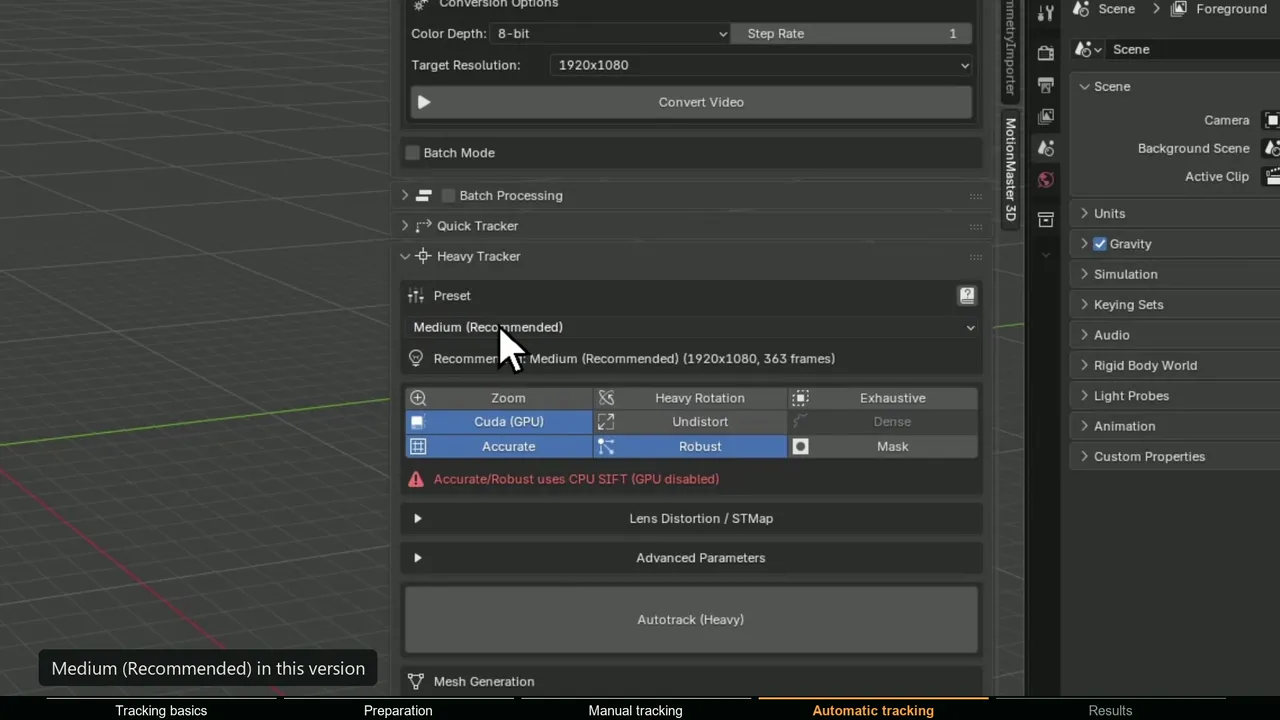
Heavy Tracking, zoom support and the Aligner for setting the floor are in Standard. AI masks for moving people, dense point clouds, meshes and lens calibration with STMap export are in Max. If the free pipeline already works for your shots, keep using it. If it keeps failing on the shots you care about, test Heavy Tracking on one of them.