Camera tracking software compared at a glance
| Tool | Best for | Price (October 2026) | Platforms | Free option |
|---|---|---|---|---|
| SynthEyes | Freelancers delivering to several apps | $62 a month, $325 a year, $655 perpetual | Windows, macOS, Linux | 14-day trial |
| PFTrack | Survey, LiDAR and photogrammetry pipelines | Solo from £35 a week or £899 perpetual; Studio £1,699 | Windows, macOS, Linux | Solo Demo Mode (no saving or export) |
| 3DEqualizer4 | The hardest feature-film shots and lenses | From 146 EUR a month (12 months); 7,699 EUR permanent | Windows, macOS (Apple silicon), Linux | Personal Learning Edition (Python disabled) |
| NukeX CameraTracker | Compositors who already work in Nuke | €4,759 a year (EU pricing); Nuke Indie €449 a year | Windows, macOS, Linux | Nuke Non-commercial (HD output, no WriteGeo) |
| After Effects 3D Camera Tracker | Text and graphics on simple shots | Included with After Effects, US$22.99 a month | Windows, macOS | No free version |
| Resolve / Fusion Camera Tracker | Editors and colorists finishing in Resolve | Resolve Studio $295 one-time | Windows, macOS, Linux | Free Resolve exists; Camera Tracker reported as Studio only |
| Mocha Pro | Planar tracking, screen replacements, roto | Plugin $325 a year; standalone $655 a year | Windows, macOS, Linux | Free trial |
| Blender's tracker | Learning, full manual control, zero budget | Free | Windows, macOS, Linux | Free and open source |
| COLMAP (with GLOMAP) | Technical users, photogrammetry-style solves | Free (BSD license) | Windows, macOS, Linux | Free and open source |
| CamTrackAR | Recording camera data on an iPhone while you film | Free, paid upgrade | iPhone and iPad | Free tier exports to Blender |
| MotionMaster 3D | Blender users with difficult footage | $29.99 Standard, $59.99 Max, one-time | Windows, Blender 5.1 and 5.2 | 14-day money-back guarantee |
How to choose camera tracking software
Feature lists all look alike. These are the questions that actually separate the tools:
- What kind of shots do you track? A handheld walk with parallax is the easy case. Tripod pans, zooms, flat surfaces and shots full of moving people need a rotation-only solver, variable focal length, a planar tracker or masks. See camera vs planar vs tripod tracking.
- How demanding is the lens? Phones, action cameras, wide primes and anamorphic lenses all bend the image. Look for real distortion models, lens grid calibration and STMap export. More in lens distortion in Blender.
- Do you need object tracking? Following a moving car or a head is a different job from solving the camera. The standalone tools do both; most built-in trackers only solve the camera. See object tracking in Blender.
- Where does the camera go next? Check that the tracker exports to the program you render in, at the frame rate and scale you expect. A bad export can cost more time than a bad solve.
- Budget and licensing. Subscriptions, perpetual licenses with paid support renewals, weekly rentals and one-time addons all exist. A one-week license is a real option for a single job.
- Operating system. Most standalone trackers run on Windows, macOS and Linux, but not all, and Apple silicon support varies.
Professional matchmoving software: SynthEyes, PFTrack and 3DEqualizer
Dedicated tracking applications give you the most control and the widest exports, at the cost of a separate program and an export step for every shot. The full head-to-head is in SynthEyes vs PFTrack vs 3DEqualizer.
SynthEyes
SynthEyes from Boris FX is the tracker I would point most freelancers to. It combines an automatic tracker with a supervised one, and the 2026 release added a Mocha-based, affine-aware point tracker that follows a small patch instead of a single point, so it holds through rotation, zoom and motion blur. It also tracks moving objects and rigs with geometric hierarchy (GeoH) tracking, calibrates lenses with radial and anamorphic models, aligns solves to lidar scans and survey measurements, and isolates moving subjects with Mask ML.
Exports cover Blender, Maya, 3ds Max, Cinema 4D, LightWave, After Effects, Nuke, Fusion, Flame and Houdini, plus USD, and you can automate it with Sizzle or Python scripts. It runs on Windows 10 or later, macOS 12.7.6 or later, and RHEL 8 compatible Linux.
- Price (as of October 2026): $62 a month, $325 a year, or $655 for a perpetual license with one year of upgrades and support, then $215 a year to renew (Boris FX). There is a 14-day free trial.
- Weaknesses: a dense interface with many rooms and panels (Boris FX started a UI modernization in the 2026 release), and on a Mac the machine learning features require Apple silicon.
PFTrack
PFTrack from The Pixel Farm is node-based: every step, from auto tracking to lens calibration to the solve, is a node in a graph you can inspect and rerun. Beyond matchmoving it does photogrammetry, survey solving with real measurements, LiDAR-aided camera solving, and Hero Cloud, a node added in May 2026 that builds a measured point cloud from a single tracked shot. It exports USD, FBX, OBJ, Alembic and PLY, and names Maya, Nuke, Houdini, Blender, Cinema 4D and Unreal Engine as targets.
- Price (as of October 2026): PFTrack Solo is £35 a week, £165 for 30 days, or £899 perpetual for one artist on one computer. Studio is £1,699 perpetual with a floating license, or rent-to-buy from £59 a week. Enterprise is priced on request (PFTrack Solo, PFTrack Studio).
- Platforms: Windows, macOS including native Apple silicon, and Rocky Linux 8 and 9.
- Weaknesses: the node workflow takes time to learn, Solo leaves out the command-line processing and external Python API that Studio includes, and Solo cannot be upgraded to Studio later.
3DEqualizer4
3DEqualizer4 from Science-D-Visions is the matchmove tool of large feature-film facilities. Its site says 18 of the more than 20 films that won the Academy Award for Best Visual Effects since 1998 used it as their main 3D tracking tool. Its strengths are control and lenses: radial, anamorphic and fisheye distortion models, distortion that changes with focal length and focus distance, rolling shutter compensation, survey points and constraints, object and mocap point groups, and a Python interface with more than 800 commands. Export scripts cover Maya, Nuke, Houdini, Blender, Fusion, 3ds Max, Cinema 4D, Alembic and USD, among others.
- Price (as of October 2026): a 12-month subscription is 1,704 EUR prepaid or 146 EUR a month; shorter terms start at 65 EUR a week. A permanent license is 7,699 EUR with 12 months of support included (3DEqualizer store).
- Platforms: Linux, Windows 10 or later, and macOS 13.5 or later on Apple silicon only.
- Weaknesses: the price, the steepest learning curve of the three, and a license server that needs a permanent internet connection.
Camera trackers in Nuke, After Effects, Resolve and Mocha Pro
If you already pay for a compositor, it probably has a camera tracker. These are convenient when the shot stays in that app, and weaker when you need to send the camera somewhere else.
NukeX CameraTracker (and Nuke Non-commercial)
Nuke's CameraTracker node is only in NukeX and Nuke Studio. It is a capable tracker: it takes a mask to ignore moving objects, can estimate an unknown lens and refine it during the solve, handles free camera and rotation-only moves, and solves known, approximate or unknown focal lengths, including zooms. It exports a camera, a point cloud and a LensDistortion node straight into the comp (Foundry docs).
- Price (as of October 2026): on Foundry's European site, NukeX is €4,759 a year. Nuke Indie, which includes the CameraTracker for solo artists with less than $100,000 in yearly revenue, is €449 a year (NukeX, Nuke Indie).
- Nuke Non-commercial is free for personal learning. It renders at up to 1920 x 1080, encrypts its scripts so commercial Nuke cannot open them, works for 180 days after each version's release, and disables WriteGeo, the node you would normally use to write a camera out as FBX or Alembic (Foundry). Nuke Indie disables WriteGeo too.
- Weaknesses: expensive for tracking alone, and the cheaper editions make it awkward to get the camera out.
After Effects 3D Camera Tracker
The 3D Camera Tracker effect analyzes the shot in the background and gives you solved track points to attach text, solids, nulls and shadow catchers to. Its controls are a shot type (fixed angle of view, variable zoom or a specified angle of view), a solve method hint (Auto Detect, Typical, Mostly Flat Scene or Tripod Pan), Detailed Analysis, and deleting bad points (Adobe). It comes with After Effects, which costs US$22.99 a month on an annual plan billed monthly as of October 2026 (Adobe), on Windows and macOS.
Weaknesses: there is no lens distortion setting and no way to add supervised tracks, so difficult shots tend to drift. Adobe's own 3D export writes Cinema 4D files; Blender needs a third-party script, which I walk through in moving an After Effects camera track to Blender.
DaVinci Resolve and Fusion Camera Tracker
Fusion, inside DaVinci Resolve, has a Camera Tracker node that tracks features automatically, takes a track mask for moving objects, uses the focal length and film gate you enter, and can refine the focal length and radial and tangential lens distortion. It exports a camera, a point cloud and a 3D scene into Fusion, and the FBX Exporter node can write that scene to FBX for other apps. Blackmagic's manual is honest about the limits: it says to skip the Camera Tracker for locked-off shots, tripod pans and shots without depth.
- Price (as of October 2026): DaVinci Resolve is free and Resolve Studio is $295 one-time (Blackmagic Design). Free-versus-Studio comparisons list the Camera Tracker as a Studio feature. Blackmagic's own pages do not spell it out, so test it in the free version before you plan around it.
- Weaknesses: no rotation-only mode for tripod pans, and other apps only get the camera through an FBX export from the Fusion page.
Mocha Pro
Mocha Pro is the best-known planar tracker: it follows flat surfaces such as screens, signs and walls, which makes it the standard for screen replacements, cleanup and roto. It also has a Camera Solve module powered by SynthEyes, a Lens module, and 3D exports as USD, Alembic and FBX. It runs standalone on Windows, macOS and Linux, or as a plugin in After Effects, Premiere Pro, Avid, Nuke, Fusion, Flame and other OFX hosts. Blender is not one of its hosts.
- Price (as of October 2026): a plugin for one host family is $48 a month, $325 a year or $765 perpetual. The standalone app with all plugins is $96 a month, $655 a year or $1,645 perpetual (Boris FX).
- Weaknesses: the camera solve is a module, not the core of the product. If a camera solve is all you need, SynthEyes costs the same as a single-host Mocha plugin and goes much deeper on matchmoving. For planar work inside Blender, MotionMaster 3D Max has a planar tracker.
What is the best free camera tracking software?
Free is the right answer more often than vendors would like. In the order I would try them:
Blender's built-in tracker
Blender's Movie Clip Editor is a complete matchmoving system, free on Windows, macOS and Linux. You can detect or place markers, track them, solve camera or object motion, use a tripod solver for rotation-only shots, and refine focal length, optical center and radial and tangential distortion with the Polynomial, Division, Nuke or Brown lens models (Blender manual). It also builds plane tracks and stabilizes footage.
The cost is your time. On a shot with motion blur and people walking through, the track, clean and solve loop can take hours, and the solver uses one focal length for the whole clip, so zooms are hard. Start with Blender camera tracking. Free helper addons are covered in the Blender addon comparison.
COLMAP and GLOMAP
COLMAP is a free, open-source structure-from-motion pipeline under the BSD license, with a graphical and a command-line interface, on Windows, macOS and Linux (COLMAP). It was built for photo collections, but its sequential matching mode is designed for video frames. GLOMAP, a global solver its authors describe as typically 10 to 100 times faster than incremental COLMAP, is now part of COLMAP as the global mapper; the separate GLOMAP repository is archived.
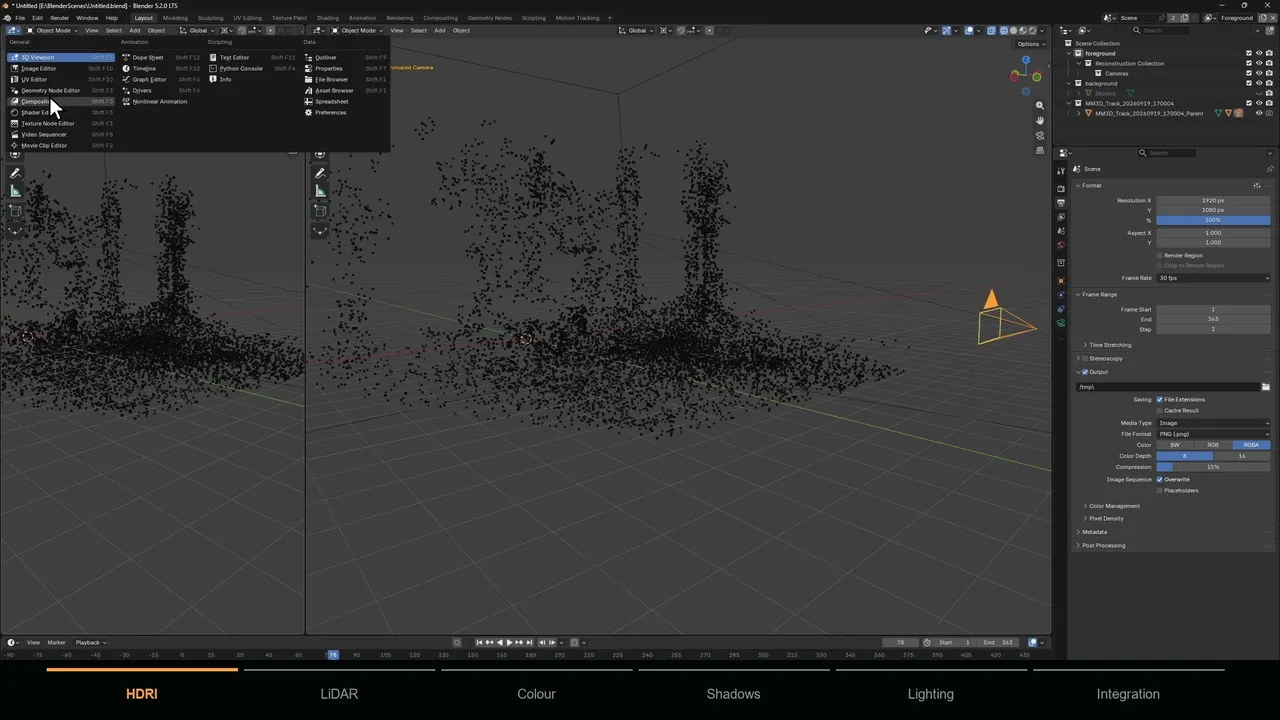
Weaknesses: it is a research tool, not a matchmove app. You extract the frames yourself, it may register only part of a sequence, it has no scene orientation tools, and you need an addon such as the Photogrammetry Importer to bring the result into Blender. The full route is in COLMAP to Blender.
Free editions and trials of paid tools
- Nuke Non-commercial: the CameraTracker at no cost, with the limits above: HD output, encrypted scripts and no WriteGeo.
- 3DEqualizer4 Personal Learning Edition: free with no expiry date, with Python disabled. 3DE's customizable export filters are Python scripts, so check what it can export before you plan a job around it.
- Trials: SynthEyes has a 14-day trial, Mocha Pro has a free trial, and PFTrack Solo has a Demo Mode that cannot save, export or run scripts.
Can you track the camera with your phone? CamTrackAR
CamTrackAR from FXhome takes a different approach: instead of solving the camera afterwards, it records the camera motion from Apple's ARKit, and the LiDAR scanner on devices that have one, while you film. The free version exports to Blender as a Python script and to HitFilm, with a single anchor point. The paid upgrade, monthly or as a one-time buyout, adds After Effects, Apple Motion, FBX, JSON and CSV export, more anchor points and chroma key (App Store).
Weaknesses: it runs only on iPhone and iPad, only for footage shot in the app, and has not been updated since version 2.1.0 in September 2021. Some App Store reviewers report visible slipping on iPhone. For a real solve from phone footage, see from iPhone footage to a Blender camera solve.
MotionMaster 3D for Blender users
I build this one, so read this section with that in mind. MotionMaster 3D is a Blender addon, not a standalone app, so there is no export step: the solved camera, point cloud and lens data land in your Blender scene. Heavy Tracking is an automatic COLMAP and GLOMAP based solve with presets from Super Fast to Extra High, a variable focal length option for zoom shots, and, in Max, a choice of 12 COLMAP camera models for the lens. Quick Tracking gives a fast preview track.
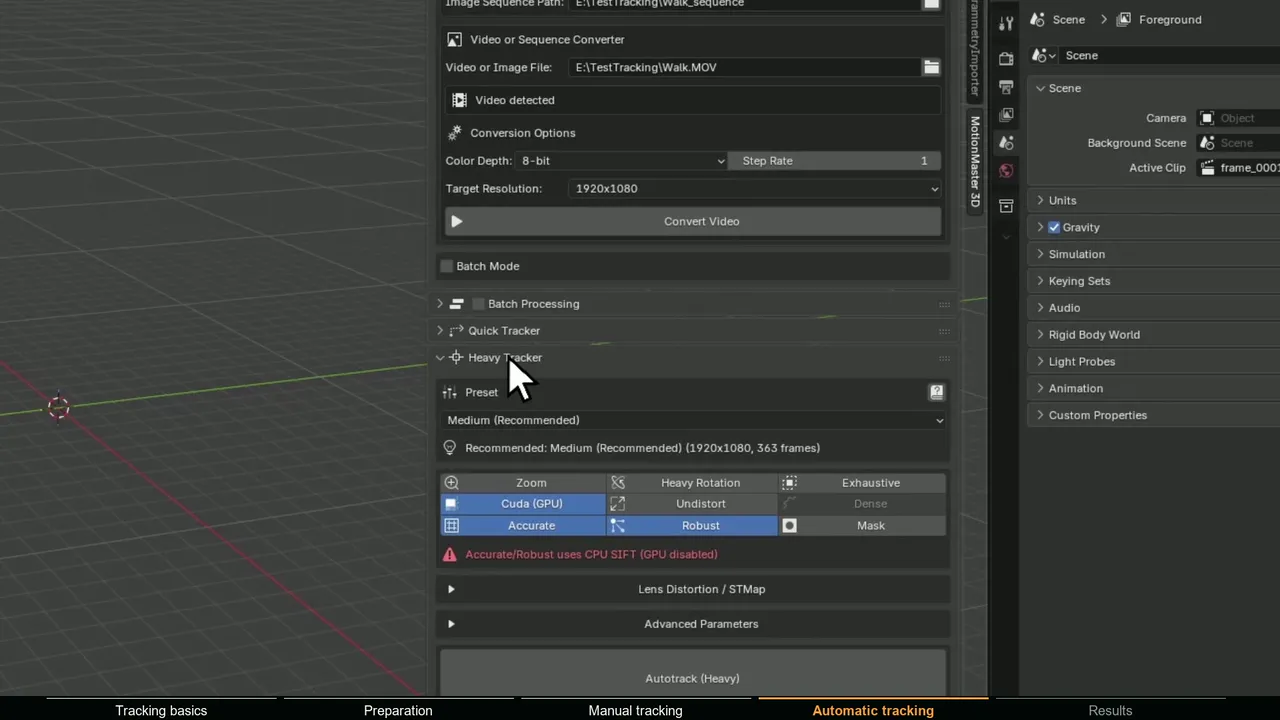
- Standard ($29.99 one-time): Quick and Heavy Tracking, floor alignment, the Perspective Matcher and video conversion.
- Max ($59.99 one-time): adds AI and polygon masks for moving objects, dense point clouds and meshes, point cloud cleanup, camera inversion, batch processing, a planar tracker, a rotation-only tripod tracker, lens calibration with STMap export and the other 1.0.7 tools. Upgrading from Standard costs $30.
- Studio ($299): for companies with over $100,000 in yearly revenue, with priority support. Every tier has a 14-day money-back guarantee and free 1.x updates.
- Weaknesses: Windows only, Blender 5.1 and 5.2, an NVIDIA GPU is recommended for speed, and it does not track moving objects. If you need object tracking or deliver to Maya and Nuke, a standalone tool fits better.
There are detailed side-by-side pages for SynthEyes, PFTrack, 3DEqualizer and the other Blender tools.
What happened to boujou?
boujou was a well-known automatic camera tracker, first from 2d3 and then from Vicon, and people still search for it. As far as I can verify, it is no longer sold: it is not in Vicon's current software lineup, the old boujou product address now redirects to a support FAQ page, and the last major release I can find is boujou 5, announced in 2009. If you want a boujou alternative for automatic tracking, SynthEyes and PFTrack are the obvious modern choices.
Which camera tracking software should you use?
| Your situation | Good fit |
|---|---|
| Learning tracking, or zero budget | Blender's built-in tracker |
| Freelancer delivering cameras to Blender, Maya, Nuke or After Effects | SynthEyes |
| Survey data, LiDAR or photogrammetry in the same project | PFTrack |
| Anamorphic zooms and the hardest feature-film shots | 3DEqualizer4 |
| Compositor who already works in Nuke | NukeX CameraTracker |
| Text and graphics on a simple shot in After Effects | After Effects 3D Camera Tracker |
| Editor or colorist finishing in Resolve | Fusion Camera Tracker |
| Screen replacements and other flat surfaces | Mocha Pro, or the MotionMaster 3D Planar Tracker (Max) in Blender |
| Technical user who wants free photogrammetry-style solves | COLMAP |
| On-set previs with a phone | CamTrackAR |
| Blender artist with difficult footage or many shots | MotionMaster 3D (masks and batch processing are in Max) |
How to test camera tracking software before you buy
Every tracker looks good on its own demo footage. Run your worst real shot through Blender or a trial first, then through the paid tool, and check three things: does it solve without hand-holding, does the camera land in your 3D app at the right frame rate and scale, and does a test object stay locked to the ground when you scrub? The last check matters most; a low solve error alone proves little, as this guide explains. And good footage beats every tool here: see what makes footage good for camera tracking.